License
This page shows what the license of your DocSecBox covers: whether it is valid, how long it runs, how many mail recipients it allows and which add-on modules are unlocked. The page is for display only. There is nothing to save here.
Administrators only
Only administrators see this page. If Only super administrators are allowed to adjust program settings is switched on under Roles, only super administrators see it.
Check the license status
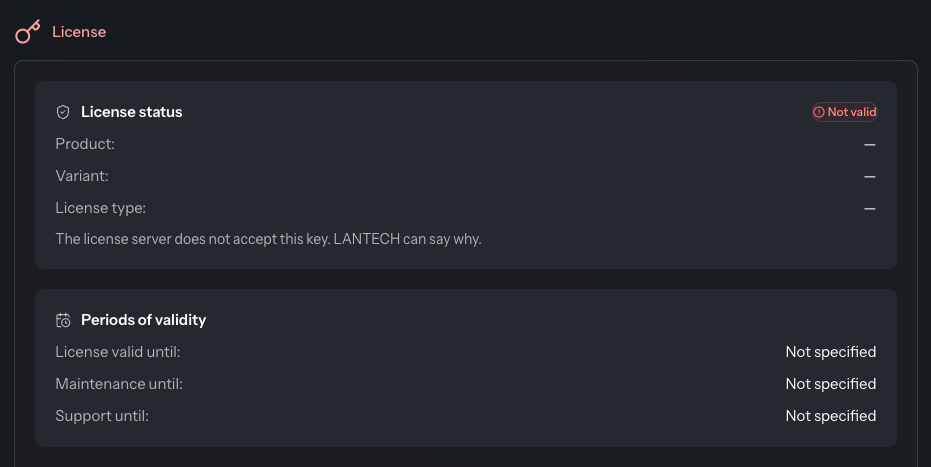
The top right corner of the License status card shows one of three states:
| State | Meaning |
|---|---|
| Valid | The license server accepts the key. The card gives the Product, Variant and License type. |
| Not valid | The license server does not accept the key. The card adds “The license server does not accept this key. LANTECH can say why.” |
| Unavailable | A key is stored, but the license server did not answer. The DocSecBox keeps running. Periods of validity, balance and licensed features stay unknown until it does. |
If the state is Not valid, contact the operator of your DocSecBox. If no key is stored at all, the card says so as well. All further details on the page are then missing too.
Periods of validity
The Periods of validity card gives the date for License valid until, Maintenance until and Support until. A date that has passed is marked Expired, a date less than 30 days away Expires soon. Without a date, it shows Not specified.
E-mail balance
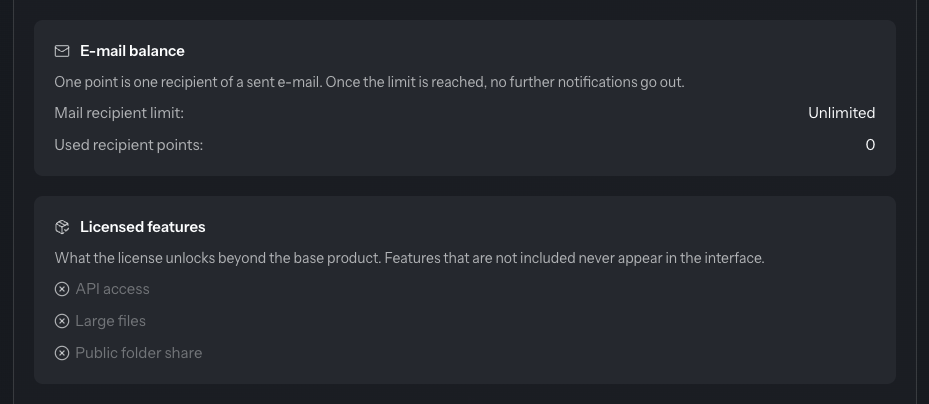
Each recipient of a sent e-mail uses up one point. Once the limit is reached, the DocSecBox sends no further notifications.
| Detail | Meaning |
|---|---|
| Mail recipient limit | How many points the license allows in total, or Unlimited. |
| Used recipient points | How many points are already used. With a fixed limit, the number still free is shown below. |
Licensed features
The card lists the three add-on modules. Licensed modules are marked with a tick, the others appear greyed out. Anything that is not licensed is absent from the rest of the interface altogether.
Paid add-on module
These three features are paid add-on modules:
- API access: the API page and the API itself
- Large files: uploading files over 16 MB (see Upload)
- Public folder share: see Public share
License key
The License key card shows the key your installation identifies itself with to the license server. Quote it when you contact the operator of your DocSecBox about the license. The icon at the right of the field (Copy license key) copies it to the clipboard.
Only the operator of your DocSecBox can store or replace the key.